openclaw——记忆
常用命令
1 | openclaw gateway restart |
长期记忆
方式
OpenClaw 记忆是智能体工作空间中的纯 Markdown 文件。这些文件是唯一的事实来源;模型只”记住”写入磁盘的内容。
这里面的记忆又分为两种,分别是用户级的记忆和日志记忆,memory文件夹中存放的是日志记忆,记录每天对话的需要长期存储的内容
新对话长期记忆的读取:1.读取日志记忆中今天和昨天的内容。2.读取用户级记忆
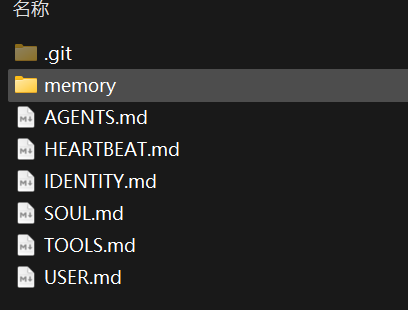
还可以通过配置,设定额外的记忆空间
1 | agents: { |
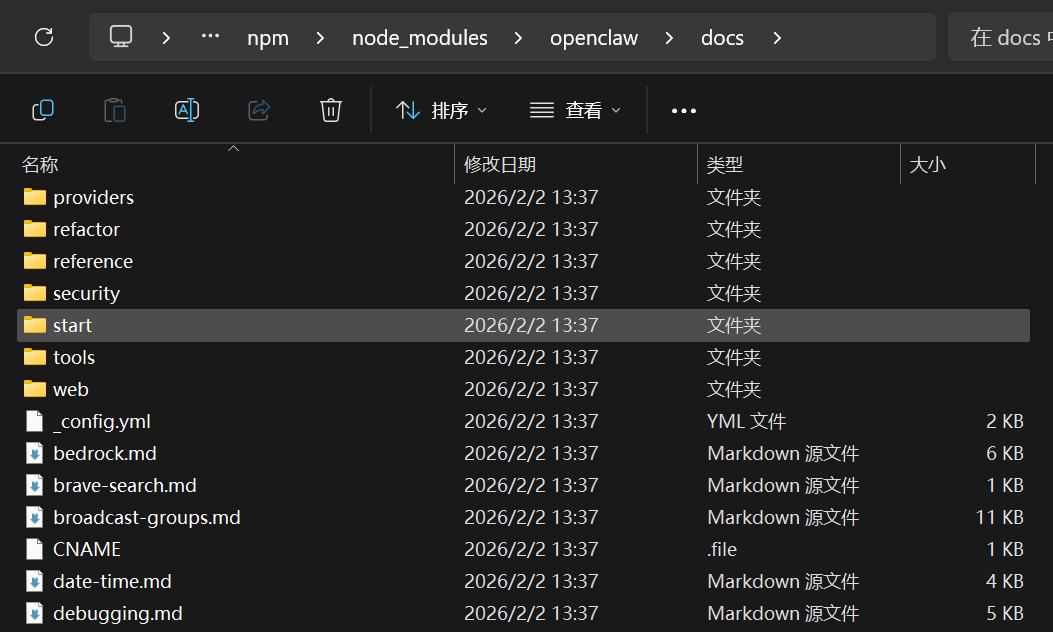
除了对话和用户的记忆,openclaw本身的功能文件也是markdown存储
- 本地文档路径:
C:\Users\ASUS\AppData\Roaming\npm\node_modules\openclaw\docs - 技能(skills)路径:
C:\Users\ASUS\AppData\Roaming\npm\node_modules\openclaw\skills\
何时写入记忆
对于何时写入记忆分为两种:
1.当用户谈及决策、偏好和持久性事实,写入 MEMORY.md。
2.日常笔记和运行上下文写入
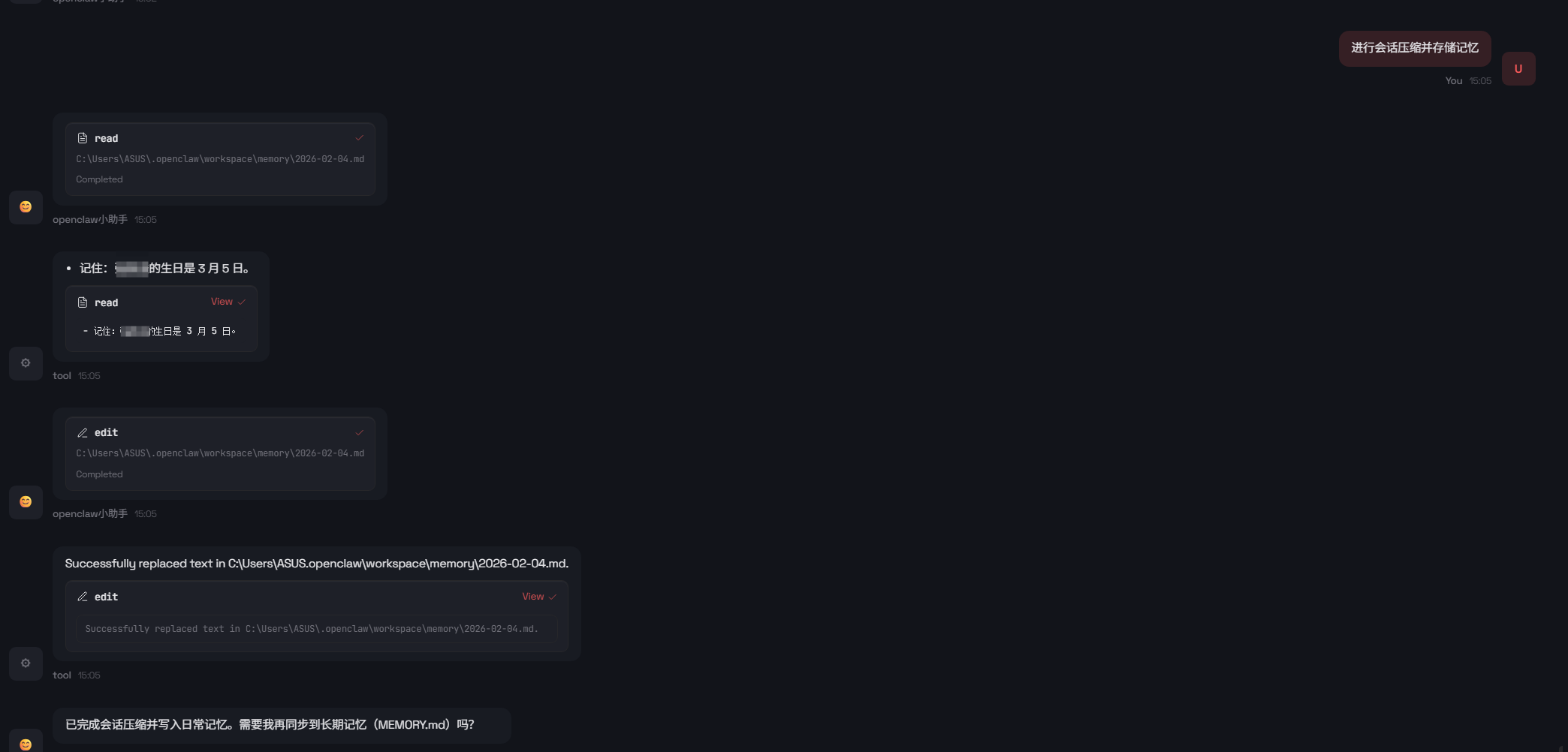
memory/YYYY-MM-DD.md。当会话达到上下文限制时,会触发压缩,将当前会话记忆存储于memory/YYYY-MM-DD.md
用户同样可以通过对话进行记忆的存储
记忆的压缩
当会话接近自动压缩时,OpenClaw 会询问agent是否需要型在上下文被压缩之前写入持久记忆。
这由 agents.defaults.compaction.memoryFlush 控制:
1 | { |
reserveTokensFloor: 20000代表必须要在还剩20000tokens前进行压缩(最后底线)
softThresholdTokens: 4000代表一个缓冲空间,当会话 token
估计超过
contextWindow - reserveTokensFloor - softThresholdTokens
时触发压缩提醒
记忆的搜索
openclaw分为两种记忆搜索的方式
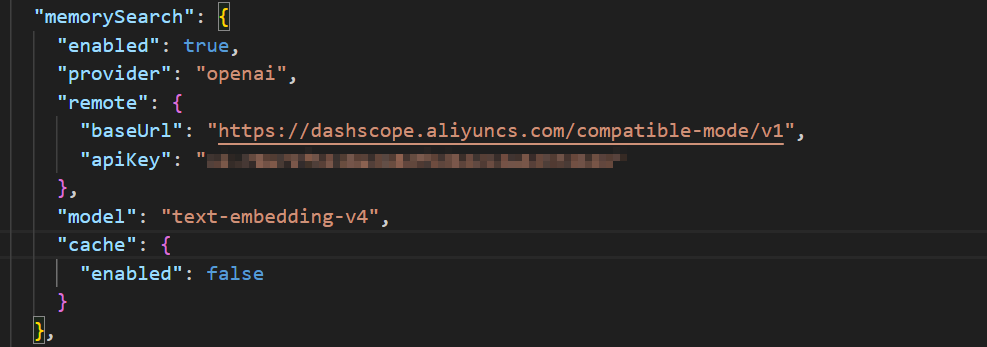
1.使用向量索引构建小型的rag,需要配置向量模型的api或本地部署向量模型(默认方式)
2.如果没有配置向量模型,openclaw会选择直接遍历查看markdown文件进行记忆搜索
向量搜索
OpenClaw 可以在 MEMORY.md 和
memory/*.md上构建小型向量索引,以便语义查询可以找到相关笔记
流程如下:
- 默认使用远程嵌入。如果未设置
memorySearch.provider,OpenClaw 自动选择:- 如果配置了
memorySearch.local.modelPath且文件存在,则使用local。 - 如果可以解析 OpenAI 密钥,则使用
openai。 - 如果可以解析 Gemini 密钥,则使用
gemini。 - 否则记忆搜索保持禁用状态直到配置完成。
- 如果配置了
- 本地模式使用 node-llama-cpp,可能需要运行
pnpm approve-builds。 - 使用 sqlite-vec(如果可用)在 SQLite 中加速向量搜索。
为什么 OpenAI 批处理快速又便宜:
- 对于大型回填,OpenAI 通常是我们支持的最快选项,因为我们可以在单个批处理作业中提交许多嵌入请求,让 OpenAI 异步处理它们。
- OpenAI 为 Batch API 工作负载提供折扣定价,因此大型索引运行通常比同步发送相同请求更便宜。
- 详情参见 OpenAI Batch API 文档和定价:
- https://platform.openai.com/docs/api-reference/batch
- https://platform.openai.com/pricing
批处理模式 (Batch):你把几千个、几万个请求打包成一个文件塞给 OpenAI,并告诉它:“我不急,你 24 小时内给我就行。”
原理:OpenAI 会利用服务器的闲置时段(比如凌晨)来处理这些任务。因为你帮它平摊了服务器压力,所以它给你 50% 甚至更多的折扣。
记忆工具
openclaw提供了两种记忆工具
memory_search 从 MEMORY.md +
memory/**/*.md 语义搜索 Markdown
块。它返回片段文本、文件路径、行范围、分数,以及我们是否从本地回退到远程嵌入。不返回完整文件内容。
memory_get 读取特定的记忆 Markdown
文件(工作空间相对路径),可选从起始行开始读取 N 行。
两个工具仅在智能体的 memorySearch.enabled 解析为 true
时启用。

搜索方式
OpenClaw 结合:
- 向量相似度(语义匹配,措辞可以不同)
- BM25 关键词相关性(精确令牌如 ID、环境变量、代码符号)
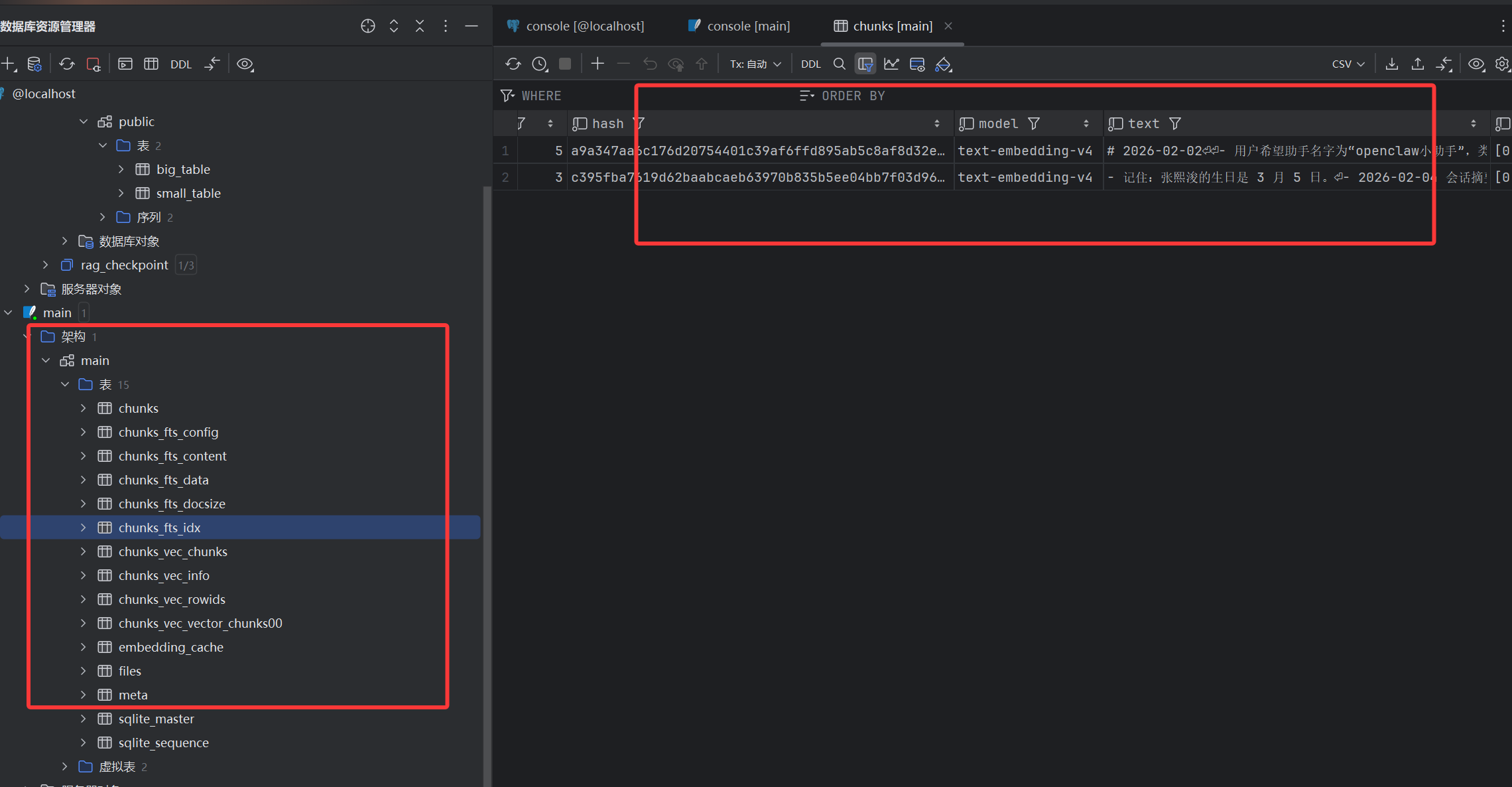
构建索引
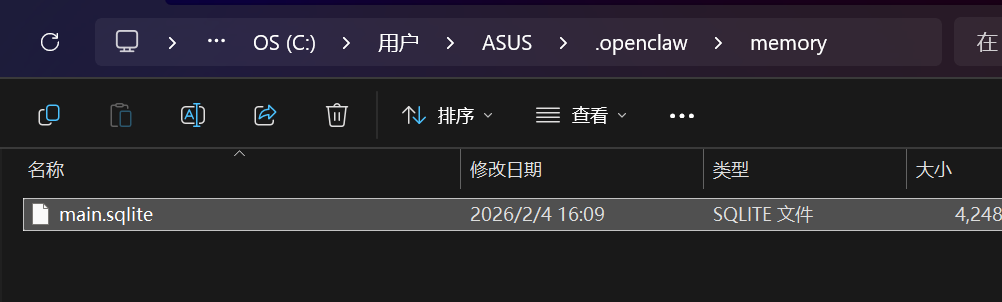
索引存储:每个智能体的 SQLite 位于
~/.openclaw/memory/<agentId>.sqlite
配置向量模型
查看构建结果
会话记忆
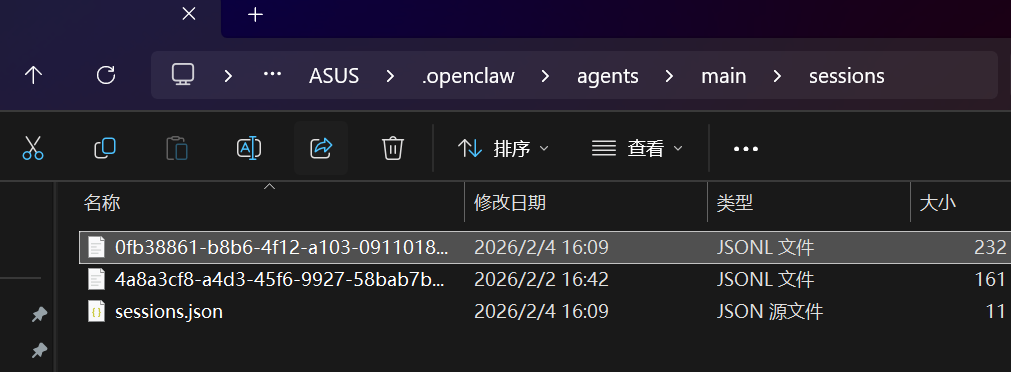
- 在 Gateway 网关主机上:
- 存储文件:
~/.openclaw/agents/<agentId>/sessions/sessions.json(每个智能体)。
- 存储文件:
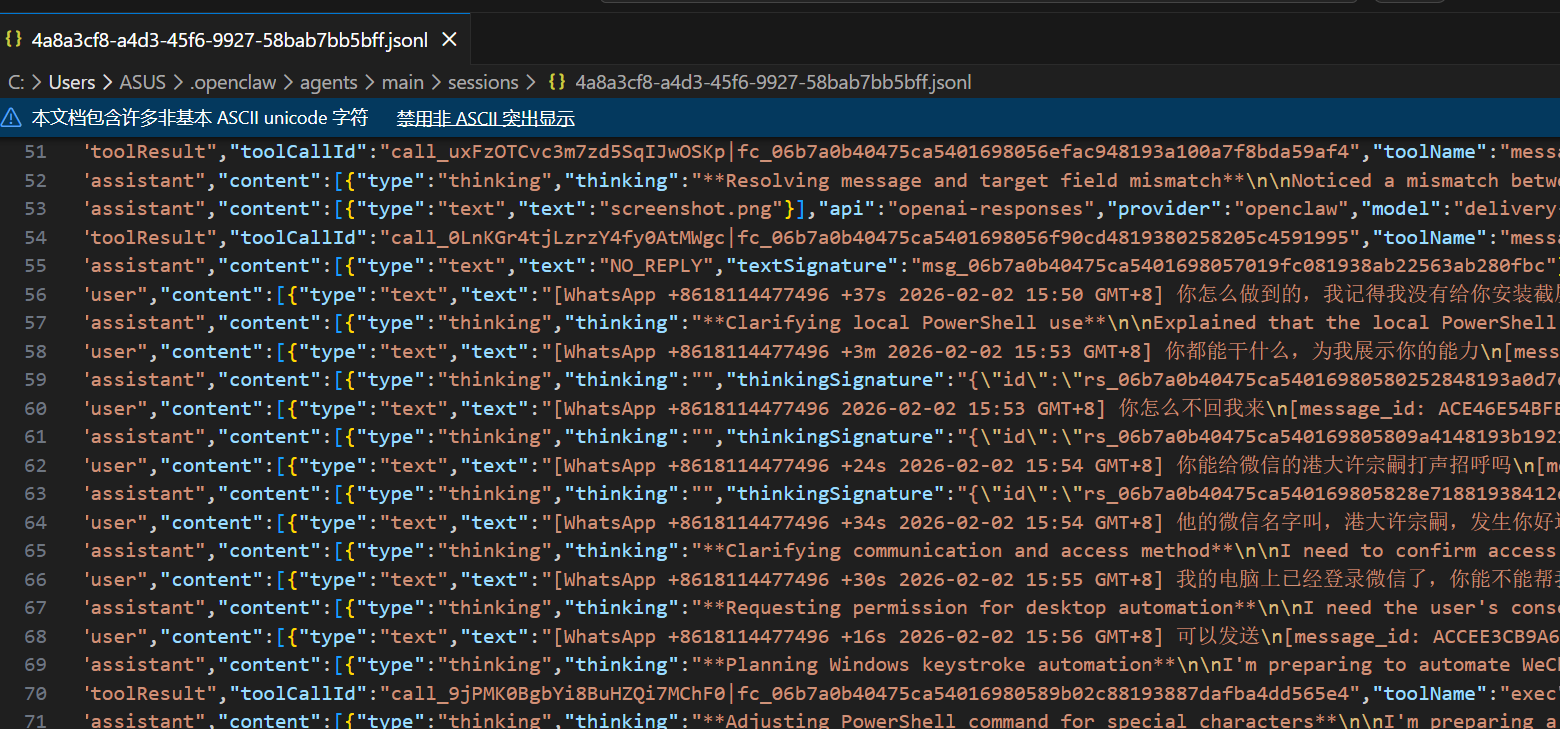
- 对话记录:
~/.openclaw/agents/<agentId>/sessions/<SessionId>.jsonl(Telegram 话题会话使用.../<SessionId>-topic-<threadId>.jsonl)。
参考资料
openclaw/openclaw: Your own personal AI assistant. Any OS. Any Platform. The lobster way. 🦞
【Clawdbot为什么能记住你说过的话? AI记忆系统拆解】 https://www.bilibili.com/video/BV1fv61B4EQ5/?share_source=copy_web&vd_source=5e54f7845fd2cf2828efb1bae2286590